
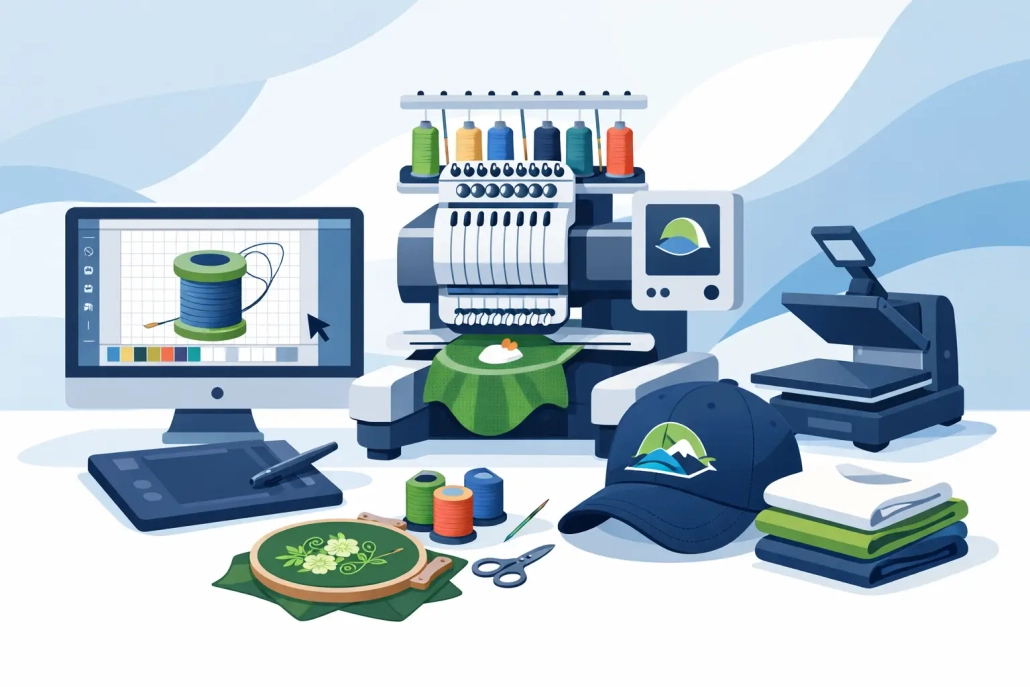
Embroidery Digitizing Guide for Print Shops
A client sends a clean logo at 4:10 p.m. and wants polos on press tonight. That is exactly when an embroidery digitizing guide for print shops stops being a nice resource and becomes a production tool. If your shop handles decorated apparel, branded merch, or contract work, digitizing is where embroidery either stays profitable or turns into a string of slow approvals, thread breaks, and reruns.
Print shops often enter embroidery from the artwork side. The customer already knows your team for screen printing, DTF, DTG, signs, or promo products, so adding stitched decoration feels like a natural extension. The catch is that embroidery is not print translated to thread. It runs on stitch types, pull compensation, underlay, sequencing, density, push and pull, cap angles, and garment behavior. That difference is why good artwork can still sew poorly.
Why print shops need an embroidery digitizing guide
The biggest mistake new embroidery sellers make is treating a digitized file like a one-time conversion. In real production, the same logo may need a left chest version for polos, a simplified version for caps, a larger version for hoodies, and a cleaner build for towels or patches. One design rarely fits every application without edits.
That matters for margins. A file that looks fine on screen can still run slowly, pucker lightweight garments, lose detail on textured fleece, or break down on cap seams. Every issue adds cost through operator time, sample approvals, wasted garments, and delayed shipments. A dependable digitizing process protects both quality and turnaround.
For most print shops, the goal is not becoming a full in-house digitizing studio. The goal is getting embroidery-ready files fast, at predictable pricing, with enough technical accuracy to keep machines moving and customers happy.
Start with artwork that can actually be digitized
Digitizing quality starts before a single stitch is assigned. Customer art arrives in all kinds of condition – low-resolution screenshots, flattened social media logos, compressed JPEGs, and brand files built for web only. When the source is weak, digitizing gets slower and the risk of approval issues goes up.
Vector art is the best starting point because it preserves clean edges, proportions, and separate elements. If vector is not available, a high-resolution raster file can still work, but it may need cleanup or redrawing first. This is especially true for logos with fine type, thin outlines, gradients, distressed effects, or overlapping transparent elements.
Print shops that sell both print and embroidery do well when they review art through an embroidery lens early. Ask what size the logo will run, what garment it will sew on, and whether the customer expects exact detail replication. Sometimes the right move is not forcing every printed detail into stitches. Sometimes the right move is simplifying the design so it performs better on fabric.
What should be checked before digitizing
At minimum, confirm final size, placement, garment type, backing, and thread colors. A left chest logo at 3.75 inches wide has very different limits than a 10-inch jacket back. The same applies to a structured cap versus a soft tee.
You should also flag tiny text early. If lettering is too small for satin stitches, it may need to be enlarged, converted to a fill, or removed. Catching that before digitizing saves revision rounds later.
Stitch logic matters more than software presets
Digitizing software can speed up production, but presets do not replace judgment. Good digitizing is not just converting shapes into stitches. It is deciding how those stitches should behave on a specific product.
Underlay supports the top stitching and helps control distortion. Density affects coverage, but more density is not always better. Excessive density can create stiffness, cause thread breaks, and push registration off. Pull compensation helps shapes hold their intended form after sewing. Sequence planning reduces trims and keeps the design clean. These choices directly affect machine time and finished appearance.
This is where many print shops hit a ceiling with beginner-level in-house attempts. The file may sew, but not efficiently. If the machine runs slowly, if outlines do not line up, or if fills sink into fabric, you are no longer saving money just because the file was made internally.
An embroidery digitizing guide for print shops by product type
Different products need different file strategies. Left chest logos usually need restraint. Small areas, compact lettering, and clean sequencing matter more than trying to preserve every tiny visual detail from a print file. If the logo reads clearly from a normal viewing distance, it is doing its job.
Caps are more demanding. The sewing field, center seam, panel structure, and typical run direction all affect how a design should be built. A cap file often needs stronger underlay, different sequencing, and shape adjustments that would not be used on a flat garment.
Jacket backs give you more space, but they also raise expectations. Large fills need to run efficiently, and broad stitch areas must be balanced so they do not distort or add too much production time. Towels introduce nap, which can bury detail unless underlay and density are handled correctly. Patch digitizing has its own logic because borders, edge treatment, and clean shape definition matter as much as internal stitch quality.
For print shops, this means quoting embroidery based on application, not just logo complexity. A left chest, cap, and patch version of the same mark are not interchangeable deliverables.
Build a workflow that protects turnaround
Most embroidery bottlenecks are workflow problems before they become machine problems. Shops stay efficient when they standardize intake. Every order should capture the same production details: garment type, placement, size, color count, deadline, and whether the file already exists.
Approval handling also needs discipline. Send a clear sew-out preview or proof process, but do not leave room for open-ended art direction after production starts. If the customer approved a simplified embroidery version, that approval should be documented. This matters when logos contain effects that cannot be recreated in thread.
Version control is another common weakness. Save files by customer, application, and size so your team does not accidentally reuse a flat-garment file on caps or send an old revision into production. Small organizational gaps create expensive errors.
When outsourcing makes more sense
If your embroidery volume is inconsistent, outsourcing digitizing is usually the stronger business decision. You avoid hiring specialized staff, buying more software seats, and spending production hours on revisions your team is still learning to solve.
Outsourcing also helps when customers need quick turnarounds across multiple decoration methods. A production partner that can handle logo digitizing, cap digitizing, jacket backs, towels, patches, and vector cleanup gives your shop more flexibility without adding overhead. For many growing shops, that is the difference between offering embroidery occasionally and selling it confidently.
Companies like UltraEMB fit this model well because speed, flat-rate pricing on common design types, and around-the-clock support line up with the way print shops actually operate – deadline first, quality close behind, and no appetite for surprise costs.
Pricing digitizing without hurting your margins
A lot of print shops undercharge because they treat digitizing as a small setup fee rather than a production service. That works until revisions pile up or specialized files take longer than expected.
A smarter approach is to separate digitizing from embroidery run charges and price it according to application complexity. Flat-rate structures work well for standard left chest and cap designs because they are easy for customers to understand. More specialized jobs like jacket backs, towels, and patches may need tiered pricing because stitch count alone does not reflect the work involved.
There is a trade-off here. If you hide digitizing inside the embroidery price, you may win simple jobs faster, but you risk losing margin on first-time orders and custom placements. If you break it out clearly, customers understand the value of the file and your shop protects labor.
Quality control should happen before production, not after complaints
A clean proof is not the same as a clean sew-out. Test stitching still matters, especially for new logos, unusual garments, and premium client work. Watching the design sew tells you where trims are excessive, where distortion appears, and whether registration holds.
Shops that grow embroidery profitably usually create a short pre-production review: confirm file version, hoop size, stabilizer, thread colors, and machine settings. That process takes minutes and prevents avoidable reruns.
The best embroidery digitizing guide for print shops is the one your team can use fast
Your shop does not need theory for theory’s sake. It needs a repeatable way to take customer art, turn it into a production-ready file, and get decorated goods out the door on time. That means cleaner intake, realistic expectations, application-specific digitizing, and a reliable partner when internal bandwidth gets tight.
Embroidery can become one of the strongest upsells in a print shop, but only when digitizing supports production instead of slowing it down. The shops that win here are not guessing. They know which artwork needs cleanup, which logos need simplification, and when outsourcing is the smartest move.
If you want embroidery to add revenue without adding chaos, start by tightening the file side of the operation. Better stitches begin long before the machine starts sewing.
 +1 (208) 473-5575 Extension #800
 +44 191 308 5011
 designs@ultraemb.com


Leave a Reply
Want to join the discussion?Feel free to contribute!