
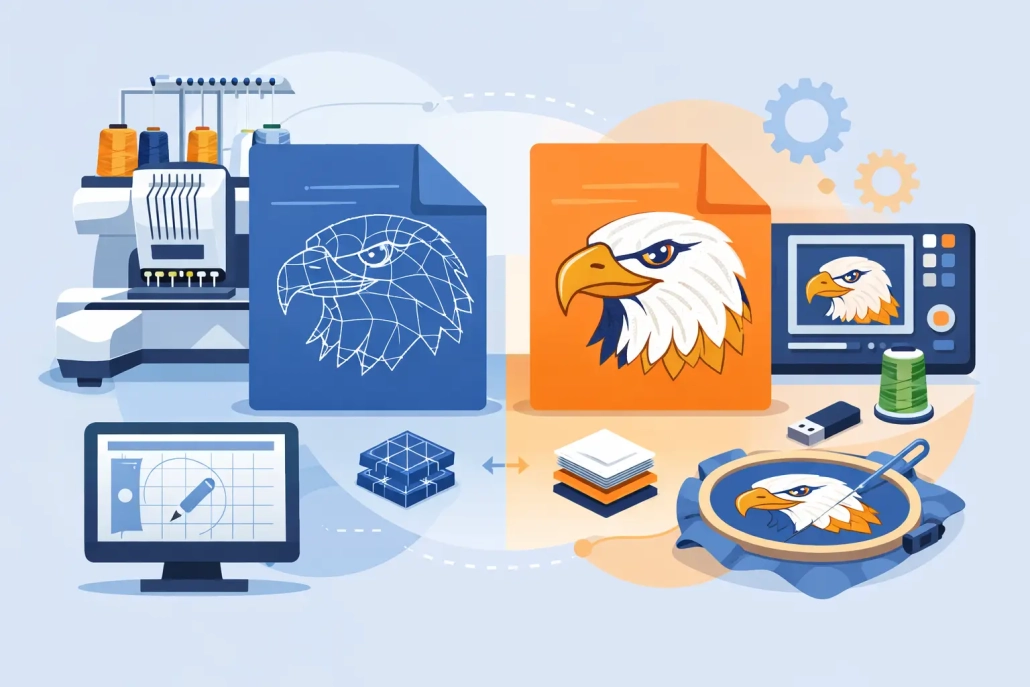
DST File vs PES File: What Shops Need
If a customer sends artwork at 4 p.m. and the job has to run before close, the wrong embroidery file format can slow production fast. That is why the question of dst file vs pes file matters more than most shops expect. It is not just a technical detail. It affects editing, machine compatibility, proofing, and how confidently you can move a logo from approval to stitch-out.
For embroidery businesses, apparel decorators, and production managers, DST and PES are two of the most common machine file types in daily use. They are not interchangeable in every situation, and one is not simply better than the other across the board. The right choice depends on the machine, the complexity of the design, and whether you need a production file only or a file that still gives you room to adjust.
DST file vs PES file at a glance
A DST file is one of the most widely accepted embroidery machine formats in commercial production. It is known for broad compatibility, especially with industrial embroidery machines. Shops often rely on DST because it is standard, practical, and easy to move through production workflows where the main goal is getting the job stitched accurately.
A PES file is commonly associated with Brother and Babylock embroidery systems, though it is also supported in many software environments. Compared with DST, PES can carry more design information. That extra data can make it more useful for previewing and, in some cases, editing design elements inside compatible software.
So when people ask about dst file vs pes file, the real answer is this: DST is often the safer universal production format, while PES can be more informative and flexible in the right setup.
What a DST file does well
DST has stayed relevant for years because it works. In production, that matters. When a shop is balancing left chest logos, cap runs, jacket backs, and rush orders, a dependable format with broad machine acceptance is a real advantage.
DST files primarily contain stitch data and machine movement instructions. They are lean, practical, and focused on execution. For many commercial embroidery businesses, that is exactly what they need. If the digitizing is done correctly, a DST file can run efficiently on a wide range of embroidery equipment without extra handling.
That said, DST is not rich in design metadata compared with some other formats. Depending on the software, color information may be limited or handled less clearly. Object-level editing is also more restricted. If someone on your team expects to reopen the file and make significant design changes easily, DST may not be the best working format for that stage.
This is where some shops get tripped up. They receive a DST, assume it is a flexible source file, and then realize later that changing sequence, stitch type behavior, or object properties is not as simple as expected.
What a PES file does well
PES files are often more comfortable for environments that use Brother-compatible systems or software that reads PES data well. In many cases, PES provides a clearer design preview and stores more information than DST. That can be helpful during approval and setup, especially when multiple people are reviewing a design before production.
For shops that do a mix of home, small business, or brand personalization work on PES-friendly equipment, this format can fit naturally into the workflow. It can be easier to visualize the design before stitching, and in some software setups, editing can be more manageable than with a stripped-down machine format.
But PES is not the universal answer either. Compatibility depends more on the equipment and software in use. In a commercial shop with mixed machine brands or outsourced production partners, relying only on PES can create avoidable friction. If your downstream team or contract embroiderer needs DST, you may still end up converting or requesting another file.
The biggest difference is not the extension
The biggest production difference in dst file vs pes file is not just the file name. It is the amount of usable information inside the file and how your equipment interprets it.
DST is often treated as a final run file. It tells the machine where to go and what to stitch, but it does not always preserve the richer design structure that helps with modifications. PES can hold more detail, which may support viewing and adjustment more effectively in compatible systems.
That matters when a customer changes thread colors at the last minute, requests a size revision, or asks to adapt a left chest logo for a cap. If you are working from a file format that is limited for edits, the revision process can become slower and less predictable. In those cases, the value is not in the extension itself. The value is in whether the file supports the next step without rework.
Which format is better for embroidery shops?
For many commercial embroidery shops, DST remains the safer default delivery format. It is widely accepted, production-friendly, and practical for machine output. If your goal is consistent stitch execution across common commercial equipment, DST usually belongs in the file package.
PES is often better when the machine specifically requires it or when your workflow benefits from the extra design information it carries. Shops using Brother-based equipment may prefer PES because it fits their setup more naturally. Smaller personalization businesses may also find PES more convenient for day-to-day use.
So the better format depends on the job. If you run industrial production across multiple machine environments, DST is hard to beat for compatibility. If your setup is built around PES-compatible equipment and software, PES may offer a smoother operator experience.
DST file vs PES file for editing and revisions
This is where the wrong assumption can cost time. Neither DST nor PES should automatically be treated as your best master editing file. They are machine formats first. Some software can do more with PES than DST, but major edits are still better handled from the original digitized source file whenever possible.
For example, if a client wants a logo resized from 4 inches to 2.5 inches, a simple machine-file conversion is not always enough. Density, underlay, pull compensation, and stitch direction may all need adjustment. The same goes for moving a flat logo onto a cap format where center-out sequencing and push-pull behavior become more critical.
That is why professional digitizing support matters more than the format debate alone. A clean DST or PES file is only as good as the digitizing behind it. If the file was built quickly without proper compensation, trim logic, and sequencing, the extension will not save the stitch-out.
How to choose the right file for the job
Start with the machine you are actually running, not the file someone happens to have on hand. If your embroidery machine performs best with DST, request DST. If your workflow is built for PES, ask for PES. That sounds obvious, but plenty of delays happen because teams accept whatever file arrives and try to make it fit later.
Next, think about whether you need a final production file or a format that supports review and possible revisions. If the design is approved, tested, and ready to run, DST is often enough. If the customer is still changing details or if the operator wants clearer on-screen information in a PES-based environment, PES may be the better option.
Also consider who else touches the file. If you outsource sewing, share jobs across locations, or run a mix of machine brands, broad compatibility matters. In those cases, DST usually offers fewer headaches.
Why shops often request both
Many experienced decorators do not choose one format forever. They request the format needed for the machine and keep additional files for workflow flexibility. That approach reduces delays when a job shifts from one machine to another or when a client comes back with a revision.
In professional production support, it is common to deliver according to machine requirements while keeping the job organized for future use. That is one reason outsourced digitizing partners are valuable. A reliable partner can prepare the design correctly the first time and deliver the file type your operation needs without guesswork. UltraEMB works in that reality every day, where speed only matters if the file is also right.
The format matters, but the digitizing matters more
Shops sometimes spend too much time comparing file extensions and not enough time checking whether the design was digitized for the fabric, placement, and machine speed involved. A jacket back, a structured cap, and a towel do not behave the same way. Even the best format choice cannot fix poor pathing or bad compensation.
That is the practical takeaway in the dst file vs pes file discussion. Choose the file that matches your machine and workflow, but make sure the embroidery was professionally digitized for the actual product being sewn. When the file is prepared with production in mind, your approvals move faster, your stitch-outs run cleaner, and your team spends less time troubleshooting at the machine.
If you are deciding what to request on your next order, ask a simple question first: what file will help this job run right the first time?
 +1 (208) 473-5575 Extension #800
 +44 191 308 5011
 designs@ultraemb.com


Leave a Reply
Want to join the discussion?Feel free to contribute!