How to Digitize Logos for Caps Right

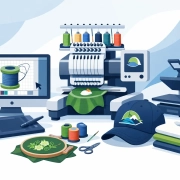
Cap jobs expose weak digitizing fast. A logo that runs clean on a flat left chest can break down on a curved cap front, especially when the artwork has small text, thin outlines, or stacked detail. If you are figuring out how to digitize logos for caps, the real goal is not just converting art into stitches. It is building a file that sews clean, holds shape, and stays production-friendly under real shop conditions.

For embroidery businesses and apparel decorators, that difference matters. Caps move fast, margins can be tight, and machine time gets expensive when a design needs repeated edits. Good cap digitizing reduces thread breaks, registration issues, distortion, and wasted blanks. It also helps you quote more confidently because you know the file is built for the product, not just for the screen.

How to digitize logos for caps starts with the cap itself

The first mistake is treating every cap the same. Structured trucker caps, low-profile cotton caps, performance caps, and unstructured styles all react differently under the needle. The front panel height, seam placement, crown firmness, and fabric surface all affect how the design should be digitized.

A structured cap gives you more support, but the center seam can still interfere with fine detail. An unstructured cap may not hold dense stitching as well, especially if the design has broad fills or sharp vertical elements. If the logo crosses the seam, pull and push compensation need more attention, and sequencing becomes more important.

That is why experienced digitizers ask about cap style before they build the file. The best result depends on the blank, not just the logo.

Clean artwork makes cap digitizing easier

Cap embroidery is not the place to force a low-quality JPG into production. If the source art is blurry, compressed, or inconsistent, the digitizing process slows down and the result usually suffers. Before any stitch planning starts, the artwork needs to be reviewed for shape clarity, spacing, and scale.

Logos with tiny taglines, hairline borders, distressed effects, gradients, or overlapping shadows often need simplification. That is not a compromise. It is production discipline. A cap front has limited embroidery space, and the curve of the panel makes small details even less reliable.

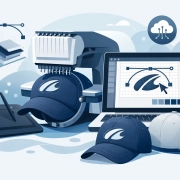
In many cases, the best path is to redraw or vectorize the logo first, then digitize from clean linework. That gives the digitizer accurate edges and better control over stitch direction, underlay, and density.

Size and placement change everything

A cap logo is usually not digitized at the same size logic as a left chest design. The front embroidery area is wide enough for strong branding, but not wide enough for unlimited detail. Most production issues begin when the logo is scaled down without adjusting stitch types, pathing, or spacing.

When sizing a cap design, you need to think beyond width and height. You need to think about readability from a normal viewing distance, how the design sits above the bill, and whether the shape works with the crown curve. A design that is technically within the embroidery area can still sew poorly if the elements are too dense or too close together.

This is where practical edits matter. Text may need to be enlarged. Thin gaps may need to be opened. A border might need to be thickened or removed. If the client wants the exact original art, the answer is not always yes. The better answer is often a production-ready version that keeps the brand recognizable while sewing well on caps.

Stitch type selection matters more on caps

Digitizing for caps is not just about tracing shapes. Stitch choice controls how the logo behaves on a curved surface. Satin stitches usually work well for columns, lettering, and bold outlines, but only within workable width limits. If a satin gets too wide, it can snag, loop, or lose consistency. If it gets too narrow, it may not hold enough coverage.

Fill stitches are often needed for larger areas, but they can create bulk fast on a cap front. Density has to be balanced carefully, especially over seams or on stiffer crowns. Too much fill can cause puckering, poor registration, and a heavy finished cap that looks overworked.

Running stitches are useful for detail and travel paths, but small decorative runs can disappear or sink into textured fabric. On caps, every stitch type has a trade-off. The right mix depends on the logo structure, fabric, and production speed you need.

The center seam is the problem you cannot ignore

If the logo is centered on the cap, the center seam becomes a technical issue from the start. It creates uneven height and resistance under the needle, and that can throw off fine details that would otherwise sew cleanly on flat goods.

Strong cap digitizing accounts for that seam with smart sequencing, compensation, and underlay choices. Wider satin elements often perform better than delicate detail over the seam. Symmetry also has to be handled carefully. A design may look mathematically balanced on screen but sew unevenly if both sides are not built to support the seam properly.

This is one reason cap files should be digitized specifically for caps, not converted from a flat embroidery file and sent straight to the machine. A left chest file can be a starting point, but it is rarely the final answer.

Pathing and sequence decide whether the file runs clean

A cap design can look great in software and still run badly on the machine. That usually comes down to pathing. Poor sequence creates unnecessary trims, weak registration, jump stitches, and unstable sewing order. On caps, those issues show up quickly because the garment is less forgiving than a flat panel.

Good pathing supports the natural flow of the design. It keeps the structure stable as the logo builds out, minimizes movement, and avoids sewing detail over unstable areas too early. Underlay has a major role here as well. It supports coverage and edge definition, but too much underlay can add bulk. Too little and the top stitching loses clarity.

Efficient sequencing also helps shops move faster. A cap file that runs with fewer stops and fewer corrections saves labor and protects your delivery schedule.

Testing is part of how to digitize logos for caps professionally

No serious production team assumes a cap file is perfect because it looks right in digitizing software. A test sew tells the truth. It shows whether the lettering holds, whether the fill coverage is balanced, and whether the seam causes distortion in the critical parts of the logo.

This is where many shops lose time. They skip the sample, then end up making edits after a failed production run. A better process is to sew a sample on a cap that matches the actual order as closely as possible. The thread, needle, backing, cap frame setup, and machine speed all influence the result.

If the logo needs adjustment, the changes should be made with production in mind. Sometimes that means increasing pull compensation. Sometimes it means changing stitch angle, reducing density, or simplifying small elements. The right edit depends on what the sample reveals.

When to outsource cap digitizing

For many shops, cap digitizing is where outsourcing starts to make the most financial sense. Caps are technically demanding, client-facing, and often deadline-sensitive. If your in-house team is stretched or your digitizing skill set is stronger on flats than headwear, outsourcing can protect both quality and turnaround.

A specialized digitizing partner can usually spot production risks before the file reaches your machine. That means fewer revisions, more predictable sew-outs, and less disruption on rush jobs. It also helps when pricing is flat and turnaround is fast, because you can plan jobs without guesswork.

UltraEMB works with embroidery businesses that need that kind of support every day – especially on cap designs that require clean execution, fast delivery, and consistent quality across repeat orders.

What a production-ready cap file should deliver

A good cap embroidery file is not judged by how complex it looks on screen. It is judged by whether it runs efficiently, reads clearly, and holds up across real production. That includes clean lettering, stable coverage, controlled stitch count, and logic that fits the cap style being used.

If a logo needs to be simplified to perform better, that is often the right call. If a design needs a separate version for caps instead of reusing the left chest file, that is also the right call. The best digitizing decisions are not about preserving every pixel of the original artwork. They are about preserving brand impact where the needle actually meets the cap.

When you approach cap digitizing that way, you get more than a file. You get fewer problems on the machine, better-looking finished goods, and a production process that is easier to trust when the deadline is close.

Flat Rate Embroidery Digitizing Explained

When a customer needs 24 polos, 12 caps, and a rush quote before lunch, pricing friction slows everything down. That is why flat rate embroidery digitizing matters. It gives embroidery shops, apparel decorators, and branded merchandise suppliers a faster way to price artwork prep, protect margins, and keep production moving without waiting on custom digitizing estimates for every standard job.

What flat rate embroidery digitizing actually means

Flat rate embroidery digitizing is simple in principle. Instead of pricing every logo file by stitch count alone or creating a custom quote for each order, the digitizing service charges a fixed price for common design categories such as left chest logos or cap designs. For busy shops, that removes a major bottleneck.

This model works best when the artwork falls into familiar production ranges. A standard left chest logo with average detail is one thing. A large jacket back with fine gradients, specialty fills, and unusual fabric behavior is another. The value of flat pricing is not that every design costs the same. The value is that the most common jobs can be priced quickly and consistently.

For a production business, that consistency matters more than it sounds. Estimators can quote faster. Sales teams can respond with confidence. Customers hear a clear number instead of a vague promise to “check with digitizing first.”

Why shops prefer flat rate embroidery digitizing

Most decorators are not looking for mystery pricing. They want a dependable cost structure they can build into estimates, reorder workflows, and customer service. Flat rate embroidery digitizing supports that way of working.

The first advantage is speed. If you already know what a left chest or cap file will cost to digitize, you can move from artwork approval to production planning without extra back and forth. That matters when your customer is comparing multiple vendors or trying to hit an event date.

The second advantage is margin control. Variable digitizing pricing can create small leaks in profitability, especially on lower-quantity jobs. Flat pricing gives you a cleaner way to protect markup because you are not adjusting your numbers every time a standard logo comes in.

The third advantage is scalability. As order volume grows, custom quoting for every file becomes harder to manage. A flat-rate structure reduces administrative drag and helps shops outsource digitizing without adding internal complexity.

This is one reason production-focused businesses rely on service partners rather than trying to staff every digitizing need in-house. A dependable outside team with clear rates and fast turnaround is often more practical than building a larger art department for fluctuating demand.

Where flat-rate pricing works best

Not every embroidery design belongs in the same pricing bucket, but many everyday jobs do. Flat-rate pricing is especially effective for designs that follow established size and placement standards.

Left chest logos

Left chest embroidery is one of the most common categories in the industry, which makes it a strong fit for flat pricing. Most businesses already know the approximate size range, expected detail level, and production use. When digitizing is priced consistently here, quoting uniforms, polos, jackets, and workwear gets much easier.

Cap digitizing

Caps need specialized handling because of center-out stitching, panel structure, push and pull compensation, and the physical shape of the hat. Even so, cap designs are common enough that many service providers offer a standard flat rate for them. For shops doing regular headwear business, this is a major operational benefit.

Patch and simple emblem work

Patch designs often follow repeatable construction methods, especially when they use clean borders, standard fills, and defined shapes. A flat rate can make sense when the design complexity stays within a predictable range.

Where flat-rate pricing has limits

Flat rate embroidery digitizing is useful, but it is not magic. Some artwork is too complex, too large, or too unusual to fit neatly into a standard category. If a provider claims every design can be handled at one low fixed price, that should raise questions.

Jacket backs are a common example. Large-format embroidery requires more planning, more stitch sequencing, and more risk management around registration and distortion. Towel designs can also be tricky because loft and texture affect underlay, density, and readability. Detailed patches, applique setups, 3D puff, or highly edited artwork may also need custom review.

This is where a professional service partner stands out. Good providers keep flat-rate pricing for standard jobs while being honest about exceptions. That balance protects quality. It also prevents the rushed, low-attention digitizing that causes production problems later.

The real value is not just price

Buyers often focus on the word flat because it suggests savings. Savings matter, but price alone is not the main reason this model works. The real advantage is predictability.

A predictable digitizing cost helps you build better systems around quoting, approvals, and scheduling. It helps sales staff answer faster. It helps account managers keep customer expectations realistic. It helps production managers avoid delays caused by waiting on art pricing.

That kind of stability has a direct commercial payoff. Faster quotes can win orders. Clearer pricing can reduce confusion. Reliable artwork prep can cut machine downtime and fewer sew-out surprises mean fewer expensive corrections.

Cheap digitizing that creates thread breaks, poor column definition, bad registration, or excessive stitch counts is not cost-effective. A fixed rate only helps when the output is production-ready.

What to look for in a flat-rate digitizing partner

If you outsource embroidery digitizing, the pricing model should support your workflow, not complicate it. The best flat-rate providers combine cost transparency with real production discipline.

Turnaround time is one of the first things to examine. Fast service only matters if the files are usable. A strong provider can deliver both, especially on standard logo categories that fit a flat-rate structure. For many shops, a three-to-four-hour turnaround on common jobs can make the difference between keeping and losing a rush order.

Availability matters too. Artwork questions do not always show up during normal office hours. Production issues, reorder requests, and customer revisions often happen early, late, or over weekends. A service built around 24/7 support is far more useful to a busy decoration business than one that disappears after five o’clock.

You should also look at specialization. Cap digitizing, jacket backs, towels, and patches all behave differently on press and on machine. A provider that understands those categories will make better decisions about underlay, density, pull compensation, and sequencing.

UltraEMB is positioned around exactly that kind of support model – fast turnaround, reasonable flat-rate pricing on common design types, and production-focused execution for shops that need dependable outsourced artwork services.

Why this pricing model supports growth

For small and mid-sized shops, growth often creates pressure before it creates efficiency. More orders mean more approvals, more quoting, more artwork checks, and more room for delays. Flat rate embroidery digitizing helps by removing one variable from that process.

Instead of stopping to recalculate digitizing costs for every incoming logo, your team can work from a known structure. That is especially useful for repeat accounts, uniform programs, promotional campaigns, and multi-item branded merchandise orders. The less internal friction you have around standard art prep, the easier it is to scale volume without sacrificing response time.

There is also a customer experience benefit. Buyers like clear pricing. They like hearing that a standard logo setup falls into a familiar cost range. It makes your shop look organized, confident, and easy to work with.

Flat-rate pricing still depends on quality control

Even with fixed pricing, embroidery digitizing is still technical work. Fabric type, backing, thread path, design size, stitch type, and machine behavior all affect the final result. That is why the best services do not treat flat-rate orders as copy-and-paste tasks.

A standard left chest logo on pique polo fabric may need different handling than the same logo on a softshell jacket. A cap design may need rebalancing for structure and sew direction. Flat-rate pricing should simplify billing, not eliminate craftsmanship.

That is the difference serious decorators care about. They are not just buying a file. They are buying smoother production, fewer corrections, and a partner that understands what happens after the design leaves the screen and hits the machine.

For shops that need speed, consistency, and a clearer cost structure, flat rate embroidery digitizing is a practical business tool. When it is backed by skilled digitizers, fast response, and honest category-based pricing, it helps you quote faster, produce smarter, and stay ready for the next order that lands with a deadline attached.

DST File vs PES File: What Shops Need

If a customer sends artwork at 4 p.m. and the job has to run before close, the wrong embroidery file format can slow production fast. That is why the question of dst file vs pes file matters more than most shops expect. It is not just a technical detail. It affects editing, machine compatibility, proofing, and how confidently you can move a logo from approval to stitch-out.

For embroidery businesses, apparel decorators, and production managers, DST and PES are two of the most common machine file types in daily use. They are not interchangeable in every situation, and one is not simply better than the other across the board. The right choice depends on the machine, the complexity of the design, and whether you need a production file only or a file that still gives you room to adjust.

DST file vs PES file at a glance

A DST file is one of the most widely accepted embroidery machine formats in commercial production. It is known for broad compatibility, especially with industrial embroidery machines. Shops often rely on DST because it is standard, practical, and easy to move through production workflows where the main goal is getting the job stitched accurately.

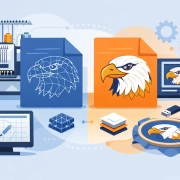
A PES file is commonly associated with Brother and Babylock embroidery systems, though it is also supported in many software environments. Compared with DST, PES can carry more design information. That extra data can make it more useful for previewing and, in some cases, editing design elements inside compatible software.

So when people ask about dst file vs pes file, the real answer is this: DST is often the safer universal production format, while PES can be more informative and flexible in the right setup.

What a DST file does well

DST has stayed relevant for years because it works. In production, that matters. When a shop is balancing left chest logos, cap runs, jacket backs, and rush orders, a dependable format with broad machine acceptance is a real advantage.

DST files primarily contain stitch data and machine movement instructions. They are lean, practical, and focused on execution. For many commercial embroidery businesses, that is exactly what they need. If the digitizing is done correctly, a DST file can run efficiently on a wide range of embroidery equipment without extra handling.

That said, DST is not rich in design metadata compared with some other formats. Depending on the software, color information may be limited or handled less clearly. Object-level editing is also more restricted. If someone on your team expects to reopen the file and make significant design changes easily, DST may not be the best working format for that stage.

This is where some shops get tripped up. They receive a DST, assume it is a flexible source file, and then realize later that changing sequence, stitch type behavior, or object properties is not as simple as expected.

What a PES file does well

PES files are often more comfortable for environments that use Brother-compatible systems or software that reads PES data well. In many cases, PES provides a clearer design preview and stores more information than DST. That can be helpful during approval and setup, especially when multiple people are reviewing a design before production.

For shops that do a mix of home, small business, or brand personalization work on PES-friendly equipment, this format can fit naturally into the workflow. It can be easier to visualize the design before stitching, and in some software setups, editing can be more manageable than with a stripped-down machine format.

But PES is not the universal answer either. Compatibility depends more on the equipment and software in use. In a commercial shop with mixed machine brands or outsourced production partners, relying only on PES can create avoidable friction. If your downstream team or contract embroiderer needs DST, you may still end up converting or requesting another file.

The biggest difference is not the extension

The biggest production difference in dst file vs pes file is not just the file name. It is the amount of usable information inside the file and how your equipment interprets it.

DST is often treated as a final run file. It tells the machine where to go and what to stitch, but it does not always preserve the richer design structure that helps with modifications. PES can hold more detail, which may support viewing and adjustment more effectively in compatible systems.

That matters when a customer changes thread colors at the last minute, requests a size revision, or asks to adapt a left chest logo for a cap. If you are working from a file format that is limited for edits, the revision process can become slower and less predictable. In those cases, the value is not in the extension itself. The value is in whether the file supports the next step without rework.

Which format is better for embroidery shops?

For many commercial embroidery shops, DST remains the safer default delivery format. It is widely accepted, production-friendly, and practical for machine output. If your goal is consistent stitch execution across common commercial equipment, DST usually belongs in the file package.

PES is often better when the machine specifically requires it or when your workflow benefits from the extra design information it carries. Shops using Brother-based equipment may prefer PES because it fits their setup more naturally. Smaller personalization businesses may also find PES more convenient for day-to-day use.

So the better format depends on the job. If you run industrial production across multiple machine environments, DST is hard to beat for compatibility. If your setup is built around PES-compatible equipment and software, PES may offer a smoother operator experience.

DST file vs PES file for editing and revisions

This is where the wrong assumption can cost time. Neither DST nor PES should automatically be treated as your best master editing file. They are machine formats first. Some software can do more with PES than DST, but major edits are still better handled from the original digitized source file whenever possible.

For example, if a client wants a logo resized from 4 inches to 2.5 inches, a simple machine-file conversion is not always enough. Density, underlay, pull compensation, and stitch direction may all need adjustment. The same goes for moving a flat logo onto a cap format where center-out sequencing and push-pull behavior become more critical.

That is why professional digitizing support matters more than the format debate alone. A clean DST or PES file is only as good as the digitizing behind it. If the file was built quickly without proper compensation, trim logic, and sequencing, the extension will not save the stitch-out.

How to choose the right file for the job

Start with the machine you are actually running, not the file someone happens to have on hand. If your embroidery machine performs best with DST, request DST. If your workflow is built for PES, ask for PES. That sounds obvious, but plenty of delays happen because teams accept whatever file arrives and try to make it fit later.

Next, think about whether you need a final production file or a format that supports review and possible revisions. If the design is approved, tested, and ready to run, DST is often enough. If the customer is still changing details or if the operator wants clearer on-screen information in a PES-based environment, PES may be the better option.

Also consider who else touches the file. If you outsource sewing, share jobs across locations, or run a mix of machine brands, broad compatibility matters. In those cases, DST usually offers fewer headaches.

Why shops often request both

Many experienced decorators do not choose one format forever. They request the format needed for the machine and keep additional files for workflow flexibility. That approach reduces delays when a job shifts from one machine to another or when a client comes back with a revision.

In professional production support, it is common to deliver according to machine requirements while keeping the job organized for future use. That is one reason outsourced digitizing partners are valuable. A reliable partner can prepare the design correctly the first time and deliver the file type your operation needs without guesswork. UltraEMB works in that reality every day, where speed only matters if the file is also right.

The format matters, but the digitizing matters more

Shops sometimes spend too much time comparing file extensions and not enough time checking whether the design was digitized for the fabric, placement, and machine speed involved. A jacket back, a structured cap, and a towel do not behave the same way. Even the best format choice cannot fix poor pathing or bad compensation.

That is the practical takeaway in the dst file vs pes file discussion. Choose the file that matches your machine and workflow, but make sure the embroidery was professionally digitized for the actual product being sewn. When the file is prepared with production in mind, your approvals move faster, your stitch-outs run cleaner, and your team spends less time troubleshooting at the machine.

If you are deciding what to request on your next order, ask a simple question first: what file will help this job run right the first time?

Embroidery Digitizing Guide for Print Shops

A client sends a clean logo at 4:10 p.m. and wants polos on press tonight. That is exactly when an embroidery digitizing guide for print shops stops being a nice resource and becomes a production tool. If your shop handles decorated apparel, branded merch, or contract work, digitizing is where embroidery either stays profitable or turns into a string of slow approvals, thread breaks, and reruns.

Print shops often enter embroidery from the artwork side. The customer already knows your team for screen printing, DTF, DTG, signs, or promo products, so adding stitched decoration feels like a natural extension. The catch is that embroidery is not print translated to thread. It runs on stitch types, pull compensation, underlay, sequencing, density, push and pull, cap angles, and garment behavior. That difference is why good artwork can still sew poorly.

Why print shops need an embroidery digitizing guide

The biggest mistake new embroidery sellers make is treating a digitized file like a one-time conversion. In real production, the same logo may need a left chest version for polos, a simplified version for caps, a larger version for hoodies, and a cleaner build for towels or patches. One design rarely fits every application without edits.

That matters for margins. A file that looks fine on screen can still run slowly, pucker lightweight garments, lose detail on textured fleece, or break down on cap seams. Every issue adds cost through operator time, sample approvals, wasted garments, and delayed shipments. A dependable digitizing process protects both quality and turnaround.

For most print shops, the goal is not becoming a full in-house digitizing studio. The goal is getting embroidery-ready files fast, at predictable pricing, with enough technical accuracy to keep machines moving and customers happy.

Start with artwork that can actually be digitized

Digitizing quality starts before a single stitch is assigned. Customer art arrives in all kinds of condition – low-resolution screenshots, flattened social media logos, compressed JPEGs, and brand files built for web only. When the source is weak, digitizing gets slower and the risk of approval issues goes up.

Vector art is the best starting point because it preserves clean edges, proportions, and separate elements. If vector is not available, a high-resolution raster file can still work, but it may need cleanup or redrawing first. This is especially true for logos with fine type, thin outlines, gradients, distressed effects, or overlapping transparent elements.

Print shops that sell both print and embroidery do well when they review art through an embroidery lens early. Ask what size the logo will run, what garment it will sew on, and whether the customer expects exact detail replication. Sometimes the right move is not forcing every printed detail into stitches. Sometimes the right move is simplifying the design so it performs better on fabric.

What should be checked before digitizing

At minimum, confirm final size, placement, garment type, backing, and thread colors. A left chest logo at 3.75 inches wide has very different limits than a 10-inch jacket back. The same applies to a structured cap versus a soft tee.

You should also flag tiny text early. If lettering is too small for satin stitches, it may need to be enlarged, converted to a fill, or removed. Catching that before digitizing saves revision rounds later.

Stitch logic matters more than software presets

Digitizing software can speed up production, but presets do not replace judgment. Good digitizing is not just converting shapes into stitches. It is deciding how those stitches should behave on a specific product.

Underlay supports the top stitching and helps control distortion. Density affects coverage, but more density is not always better. Excessive density can create stiffness, cause thread breaks, and push registration off. Pull compensation helps shapes hold their intended form after sewing. Sequence planning reduces trims and keeps the design clean. These choices directly affect machine time and finished appearance.

This is where many print shops hit a ceiling with beginner-level in-house attempts. The file may sew, but not efficiently. If the machine runs slowly, if outlines do not line up, or if fills sink into fabric, you are no longer saving money just because the file was made internally.

An embroidery digitizing guide for print shops by product type

Different products need different file strategies. Left chest logos usually need restraint. Small areas, compact lettering, and clean sequencing matter more than trying to preserve every tiny visual detail from a print file. If the logo reads clearly from a normal viewing distance, it is doing its job.

Caps are more demanding. The sewing field, center seam, panel structure, and typical run direction all affect how a design should be built. A cap file often needs stronger underlay, different sequencing, and shape adjustments that would not be used on a flat garment.

Jacket backs give you more space, but they also raise expectations. Large fills need to run efficiently, and broad stitch areas must be balanced so they do not distort or add too much production time. Towels introduce nap, which can bury detail unless underlay and density are handled correctly. Patch digitizing has its own logic because borders, edge treatment, and clean shape definition matter as much as internal stitch quality.

For print shops, this means quoting embroidery based on application, not just logo complexity. A left chest, cap, and patch version of the same mark are not interchangeable deliverables.

Build a workflow that protects turnaround

Most embroidery bottlenecks are workflow problems before they become machine problems. Shops stay efficient when they standardize intake. Every order should capture the same production details: garment type, placement, size, color count, deadline, and whether the file already exists.

Approval handling also needs discipline. Send a clear sew-out preview or proof process, but do not leave room for open-ended art direction after production starts. If the customer approved a simplified embroidery version, that approval should be documented. This matters when logos contain effects that cannot be recreated in thread.

Version control is another common weakness. Save files by customer, application, and size so your team does not accidentally reuse a flat-garment file on caps or send an old revision into production. Small organizational gaps create expensive errors.

When outsourcing makes more sense

If your embroidery volume is inconsistent, outsourcing digitizing is usually the stronger business decision. You avoid hiring specialized staff, buying more software seats, and spending production hours on revisions your team is still learning to solve.

Outsourcing also helps when customers need quick turnarounds across multiple decoration methods. A production partner that can handle logo digitizing, cap digitizing, jacket backs, towels, patches, and vector cleanup gives your shop more flexibility without adding overhead. For many growing shops, that is the difference between offering embroidery occasionally and selling it confidently.

Companies like UltraEMB fit this model well because speed, flat-rate pricing on common design types, and around-the-clock support line up with the way print shops actually operate – deadline first, quality close behind, and no appetite for surprise costs.

Pricing digitizing without hurting your margins

A lot of print shops undercharge because they treat digitizing as a small setup fee rather than a production service. That works until revisions pile up or specialized files take longer than expected.

A smarter approach is to separate digitizing from embroidery run charges and price it according to application complexity. Flat-rate structures work well for standard left chest and cap designs because they are easy for customers to understand. More specialized jobs like jacket backs, towels, and patches may need tiered pricing because stitch count alone does not reflect the work involved.

There is a trade-off here. If you hide digitizing inside the embroidery price, you may win simple jobs faster, but you risk losing margin on first-time orders and custom placements. If you break it out clearly, customers understand the value of the file and your shop protects labor.

Quality control should happen before production, not after complaints

A clean proof is not the same as a clean sew-out. Test stitching still matters, especially for new logos, unusual garments, and premium client work. Watching the design sew tells you where trims are excessive, where distortion appears, and whether registration holds.

Shops that grow embroidery profitably usually create a short pre-production review: confirm file version, hoop size, stabilizer, thread colors, and machine settings. That process takes minutes and prevents avoidable reruns.

The best embroidery digitizing guide for print shops is the one your team can use fast

Your shop does not need theory for theory’s sake. It needs a repeatable way to take customer art, turn it into a production-ready file, and get decorated goods out the door on time. That means cleaner intake, realistic expectations, application-specific digitizing, and a reliable partner when internal bandwidth gets tight.

Embroidery can become one of the strongest upsells in a print shop, but only when digitizing supports production instead of slowing it down. The shops that win here are not guessing. They know which artwork needs cleanup, which logos need simplification, and when outsourcing is the smartest move.

If you want embroidery to add revenue without adding chaos, start by tightening the file side of the operation. Better stitches begin long before the machine starts sewing.

Flat Rate Vector Conversion Service Explained

When a customer sends over a blurry JPG five minutes before production, pricing should not become the next problem. A flat rate vector conversion service gives apparel decorators, print shops, and branded merchandise suppliers a clear cost before work starts, so teams can move from approval to production without the usual back-and-forth.

That matters more than it sounds. In a busy shop, artwork delays do not stay in the art department. They affect quoting, scheduling, proofing, press time, and client communication. If you regularly handle logos for screen print, signage, heat transfer, DTF, promotional items, or embroidery support files, a predictable vector conversion workflow is not a nice extra. It is part of keeping jobs profitable.

Why a flat rate vector conversion service works

Most buyers are not looking for design theory. They want clean vector files, fast turnaround, and pricing that makes sense at scale. A flat rate vector conversion service solves a common frustration with custom quoting – small jobs take too long to price, and simple logo redraws end up buried under admin time.

With flat pricing, the buyer knows what to expect on standard artwork types. That helps with margin planning, especially for shops quoting dozens of jobs each week. It also makes it easier for customer service teams to answer quickly instead of waiting for art review before giving the client a number.

There is also a trust factor. Buyers who outsource artwork repeatedly want consistency. If one basic logo costs one amount this week and something very different next week, confidence drops fast. Predictable pricing supports repeat business because it removes one more variable from the production cycle.

What shops actually need from vector conversion

A production-ready vector file is not just a cleaner version of a logo. It is a file that can hold up across real-world use. That means clean paths, correct shapes, smooth curves, readable text treatment, and proper file preparation for the output method.

For apparel decorators, this often means artwork that can scale from a small left chest print to larger branding applications without turning rough at the edges. For signage and promo suppliers, it means files that stay sharp on banners, vehicle graphics, product packaging, and display materials. For embroidery businesses, vector conversion also plays a support role when art needs to be cleaned before digitizing or approved for multi-use branding programs.

That is where professional conversion matters. Auto-trace tools can be useful for rough internal mockups, but they often create too many points, uneven lines, and distorted curves. Those shortcuts become expensive when they hit production. A shop may save a few dollars upfront and lose much more in revisions, approval delays, or poor output.

Where flat-rate pricing helps most

The biggest advantage shows up in high-volume environments. If you are quoting left chest logos, cap graphics, sponsor marks, badge art, and simple company logos every day, you need an art partner that can keep pace without turning every order into a separate pricing discussion.

A flat-rate model is especially useful for repeat design categories. Think standard logos, moderate redraws, and common business artwork that does not require custom illustration from scratch. In these cases, the service is not replacing a creative agency. It is supporting production with dependable file conversion.

That distinction matters. Not every art job should be flat rate. A heavily distressed graphic, a missing-letter logo rebuilt from a photo, or a complex mascot illustration may need custom review. The best providers are clear about that. They use flat rates where they make sense and flag exceptions before they become problems.

Speed matters, but accuracy matters more

Fast turnaround is a real competitive advantage, especially when approvals come late and production windows are tight. But turnaround only helps if the file is correct the first time. A quick file that still needs edits is not truly fast.

A strong vector conversion partner understands production pressure. They know that a sales rep is waiting on a proof, a machine schedule is already set, and the end customer does not care why the artwork queue fell behind. That is why the right service combines quick delivery with practical accuracy – correct line work, organized file output, and artwork that is ready for the next step.

For many buyers, support availability also matters. Artwork issues do not always show up during business hours. Shops handling multiple time zones, rush orders, or holiday production often need responses outside a standard 9-to-5 schedule. Around-the-clock coverage can make a major difference when one delayed logo holds up an entire order.

What to look for in a provider

If you are choosing a flat rate vector conversion service, start with operational reliability. Price only helps if the provider can actually deliver consistently. Look for a team that handles volume, communicates clearly, and understands production use cases rather than just graphic cleanup.

File quality should be the first checkpoint. Ask whether the provider creates clean, editable vector files instead of relying on automatic tracing. You also want clarity on formats and output expectations. Different shops may need AI, EPS, PDF, SVG, or other production-friendly formats depending on the job.

Turnaround is next. If your business depends on same-day or near-real-time support, a provider with slow standard delivery may create more friction than value. Fast service is particularly important for contract decorators, print resellers, and growing shops that cannot afford idle time.

Pricing transparency is just as important. A provider should explain what falls within the flat rate and what counts as a more complex exception. That gives buyers confidence and reduces billing surprises. Shops that run lean and quote aggressively need that clarity.

Finally, pay attention to support. Good artwork providers do more than send files. They respond to revision needs, answer practical questions, and help keep jobs moving. That service mindset is often what separates a one-time vendor from a long-term production partner.

The business case for outsourcing vector conversion

Keeping vector conversion in-house sounds attractive until the workload spikes. Then your design staff gets pulled away from customer-facing creative work to redraw basic logos and clean low-resolution art. That can slow down more valuable work and create bottlenecks during peak periods.

Outsourcing gives shops more room to scale. Instead of hiring around every surge in order volume, they can send standard conversion work to specialists and keep internal teams focused on sales support, proofing, branding, and higher-level design tasks. For small and mid-sized businesses, that flexibility is often the difference between controlled growth and constant production stress.

There is also a cost-control angle. Flat-rate pricing makes outsourcing easier to budget because each standard conversion is tied to a known amount. That simplifies quoting and helps protect margins on jobs where art prep can quietly eat into profit.

For businesses that handle recurring clients, outsourcing can also improve consistency. The same external team sees similar logos, file issues, and production expectations over time. That familiarity reduces friction and improves output quality across repeat orders.

When flat rate is the better buying model

A flat-rate structure is usually the strongest fit when your shop processes regular logo conversion work and values speed, consistency, and easy quoting. It is well suited to production environments where artwork needs to move quickly and cost predictability matters.

It may be less ideal if most of your art requests involve heavy illustration, advanced branding development, or one-off creative concepts. In those cases, custom pricing may reflect the work more accurately. The key is not choosing the cheapest model. It is choosing the model that matches the kind of artwork your business handles every day.

For many decorators and print providers, the practical answer is simple. Standardize the common work, review the exceptions, and keep production moving. That is why a company like UltraEMB builds around fast turnaround, accessible support, and straightforward pricing for high-frequency production needs.

A flat rate vector conversion service is not just about saving a few dollars on art cleanup. It is about removing delays, controlling quoting friction, and giving your team one less thing to chase when deadlines are already tight. If your shop depends on clean artwork and reliable turnaround, predictable service is not a convenience. It is part of how you stay competitive.